
CleanYourTV: Should You Let Claude Code Clean Your TV?
guideUpdated 14 min read
CleanYourTV has Claude Code switch off ads and preloaded apps on Android TV and Google TV. Which TVs it works on, what has gone wrong, and who should run it.
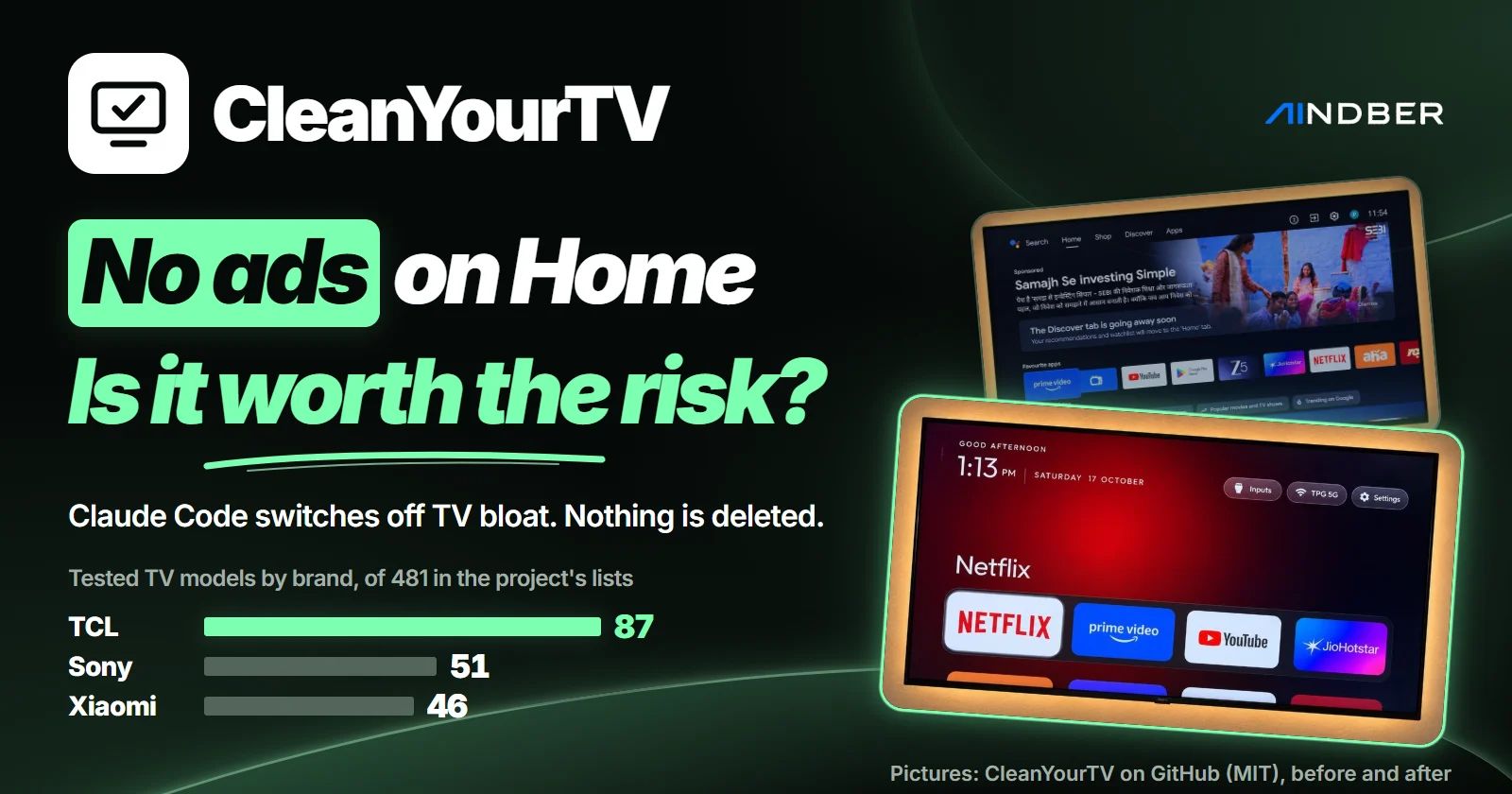
Last verified: 15 November 2026, 16:00 UTC. The star count comes from GitHub that day. The supported TVs, the steps and the failures come from the CleanYourTV repository at commit
ddc3b2c. The project changes daily, so read its README before you run anything.
By Frankie C. · Senior Market Researcher, Mindber. Tracks 500+ AI/SaaS tools across SEA markets via the Mindber Innovation Index methodology.
How we assessed this: On 15 November 2026 we read CleanYourTV's README, prompt file, FAQ and licence on GitHub. We also read four of the issues those files cite and the project's guide for TVs it can't touch. We read the maker's post on X and two other posts, reports by TechCrunch, PCWorld and Android Police, and Claude's pricing page. We did not run CleanYourTV on a TV for this article, and we spoke to no one on the project. The cover shows the project's own before and after photos, used under its MIT licence.
CleanYourTV is worth a look if your Android TV or Google TV set shows ads on its home screen or has slowed down. Run it only if your household could lose that TV for an evening. On a Samsung, LG or Roku set it does nothing. On a Fire TV it does half the job.
The project is a GitHub repository built around one long prompt. You paste the prompt into Claude Code, or another coding assistant, on a computer that shares Wi-Fi with the TV. The assistant connects through Android's debug bridge, switches off the TV maker's ad and tracking apps, and installs a small home screen that looks like an Apple TV's. It is free, and one command undoes its changes as long as the TV still starts. A month after its first commit it had 58,149 stars.
Posts about it talk of hacked TVs and deleted bloatware. The repository only disables packages, and its own files record a few TVs that stopped starting after the wrong ones went off. For a household that only wants a calmer home screen, we'd try the TV's privacy settings and a launcher from Google Play first.
Does it work on your TV?
CleanYourTV works through ADB, the debugging channel Android gives its owner, so the TV has to run Android.
| Your TV runs | What you get | What the project says about it |
|---|---|---|
| Android TV or Google TV | The cleanup and the new home screen | The launcher needs Android 8.0 or newer |
| Fire TV | The cleanup only | Fire OS will not hand Home to a third-party launcher |
| A 2015 Fire TV box (Fire OS 5) | Nothing | Every route to disable a package is refused |
| A few China-market TCL sets | The cleanup only | They refuse to install any launcher |
| Samsung, LG, Roku, Vizio, Hisense VIDAA | Nothing | No ADB. A separate guide turns off tracking with the remote |
Contributors have sent in tested lists for 481 TV models from 131 brands. A list records which packages one owner switched off on one model and still had a working TV afterwards. Six brands account for half of them:
One list per TV model, sent in by an owner of that model. From the project's README, figures as of 14 November 2026.
TCL
87 lists
Sony
51 lists
Xiaomi
46 lists
Philips
24 lists
Skyworth
17 lists
Hisense
16 lists
0 lists22.5 lists45 lists67.5 lists90 lists
Source: CleanYourTV README, Supported TVs, read 15 November 2026, Nov 15, 2026
If your model has no list, the prompt has the assistant work one out on your TV, and nobody has yet recorded which packages that model can't do without. We'd count that as the riskier case. Search for your model at cleanyour.tv/tvs before anything else.
The case for doing it without AI
Jared Newman at PCWorld answered the trend on 22 October with a column that asks readers not to do it. Its subheading promises "easier and safer ways to fix your smart TV's problems". Risk is his strongest point: the tools need developer settings and command-line scripts, and they warn of boot loops themselves. He adds that they reach only Android-based TVs, that their package lists come from volunteers and may age, and that a coding assistant usually costs money.
His alternative takes two steps and no computer. Turn off automatic content recognition, the feature that identifies what is on screen, in the TV's privacy settings. Then install a launcher from Google Play, such as Projectivy, Kyu Launcher or AT4K Launcher, and set it as the default.
A new launcher leaves the preloaded apps running, and those apps are what the cleanup goes after. CleanYourTV's FAQ lists switches worth flipping on the TV even if you go no further: the advertising ID, Location, Usage and diagnostics, and Scanning always available.
CleanYourTV itself can be run with no AI. Its README carries every command for doing the job by hand. Independent developers have built four free apps on its lists, for Android phones, Mac and Windows, and the README says plainly that it neither runs nor endorses them. For the TVs it can't touch, its guide for other TVs walks through each maker's tracking switches with the remote. The guide says the ads stay after these steps and are no longer targeted.
What it changes, and what it leaves alone
Gathin's parents' TV showed a sponsored ad before they could get to Netflix. In mid-October he wrote on X that Claude Code had cleaned the set up in an afternoon.
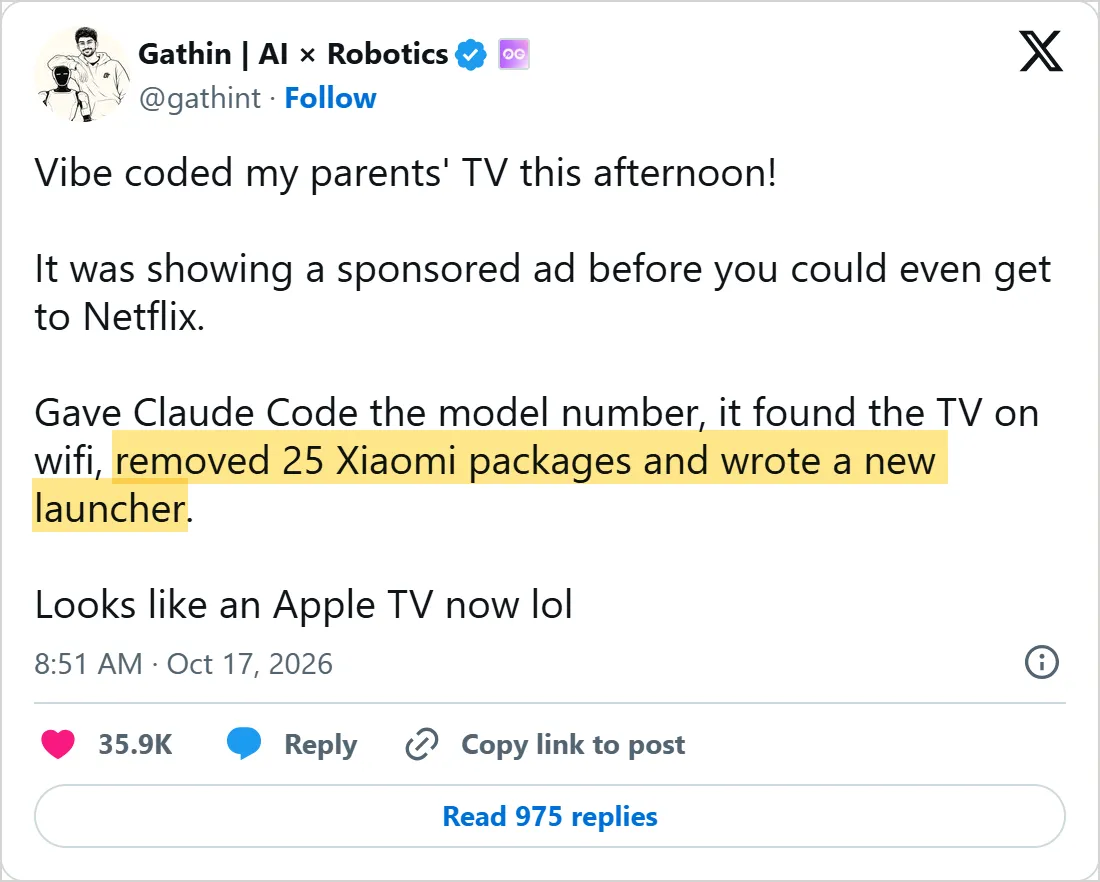
Posted 17 October 2026 at 08:51 UTC. The shot leaves out the post's photo. It had about 8.76 million views when we read it. Source: x.com/gathint/status/2111379569030939102
Replies from people who did the same to their own TVs became the repository.
What the assistant does to the TV
- 1
Back up
Before any changeIt saves the list of installed packages and the TV's settings, and writes a record that the restore script replays later. - 2
Disable
The cleanupIt switches off the maker's telemetry, ad services, content rows and preloaded apps with Android's own disable command, a few at a time. - 3
Install
The new home screenIt builds a small launcher on your computer, installs it and makes it the home screen. Only then does the stock launcher go off.
The prompt tells the assistant what to keep its hands off. That covers the Play Store and Play Services, the apps that play HDMI and the tuner, the remote, Bluetooth pairing and the on-screen keyboard. Streaming apps keep updating through the Play Store. Before it touches a streaming app, the voice assistant, Chromecast or the update service, the assistant has to ask which ones you use.
The home screen it installs is plain: a dock of four apps, the rest in a grid, a clock, and buttons for inputs, Wi-Fi and settings. The README puts it at about 572 KB of plain Java, written for TVs with 1 GB of memory, with no network permission and no background services. The project ships no ready-made app file, so the assistant builds the launcher on your computer. That build is why the computer needs Java and Android's build tools.
With the repository cloned, the README says the whole job takes about fifteen minutes. That is the project's own estimate. Mihir Gupta, a founding engineer at Segwise, spent an afternoon with Claude Code on his slow TV a day after Gathin's post, and swapped its home screen for a custom one.
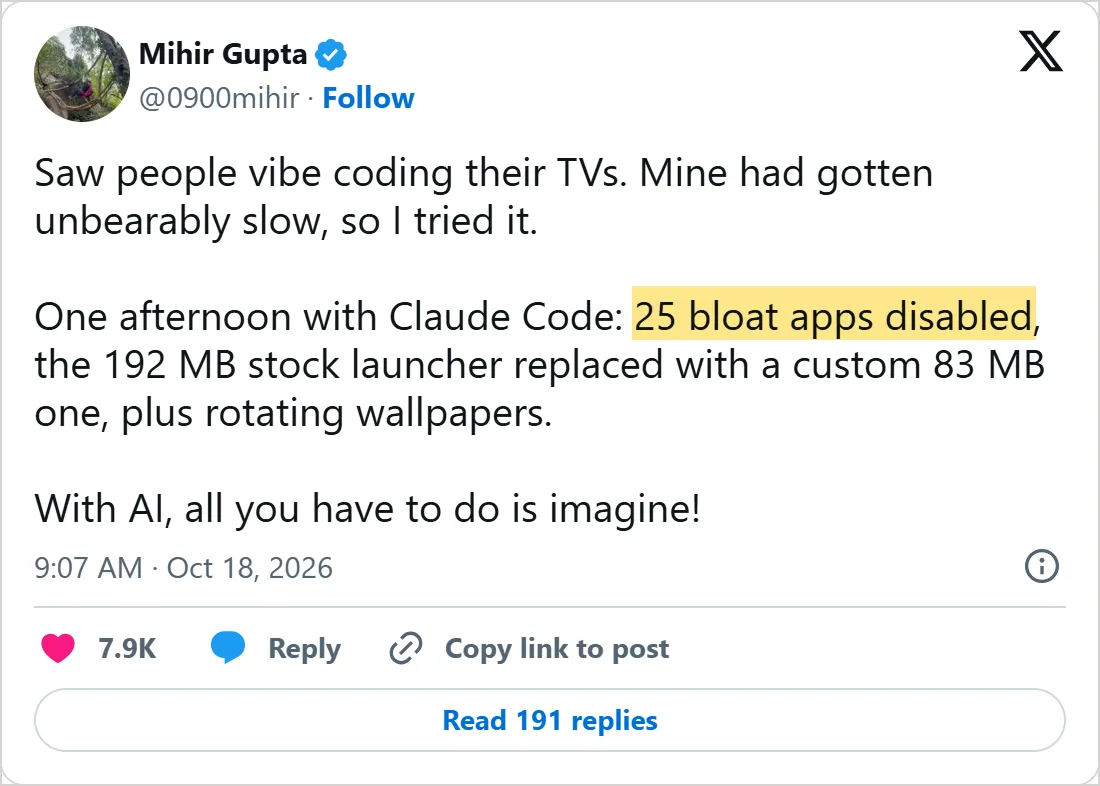
Posted 18 October 2026 at 09:07 UTC. The shot leaves out the post's photo. The 192 MB and 83 MB launcher sizes are his figures for his TV. Source: x.com/0900mihir/status/2111746030228455883
Rajesh Pandey of Android Police did the cleanup half alone, with plain Claude Code and no repository, on a Mi Box S running Android 9. Claude proposed the packages, he picked which ones went, and the box was done within a few minutes. He kept the standard Android TV home screen and calls the result smoother and faster. He published no measurement, and we found no before and after timing from anyone else.
Nothing is hacked, and nothing is deleted
The loudest post came a day before Gathin's. Ryan Doyle wrote on X that he had hacked his TV after sending Claude Code the listing for it.
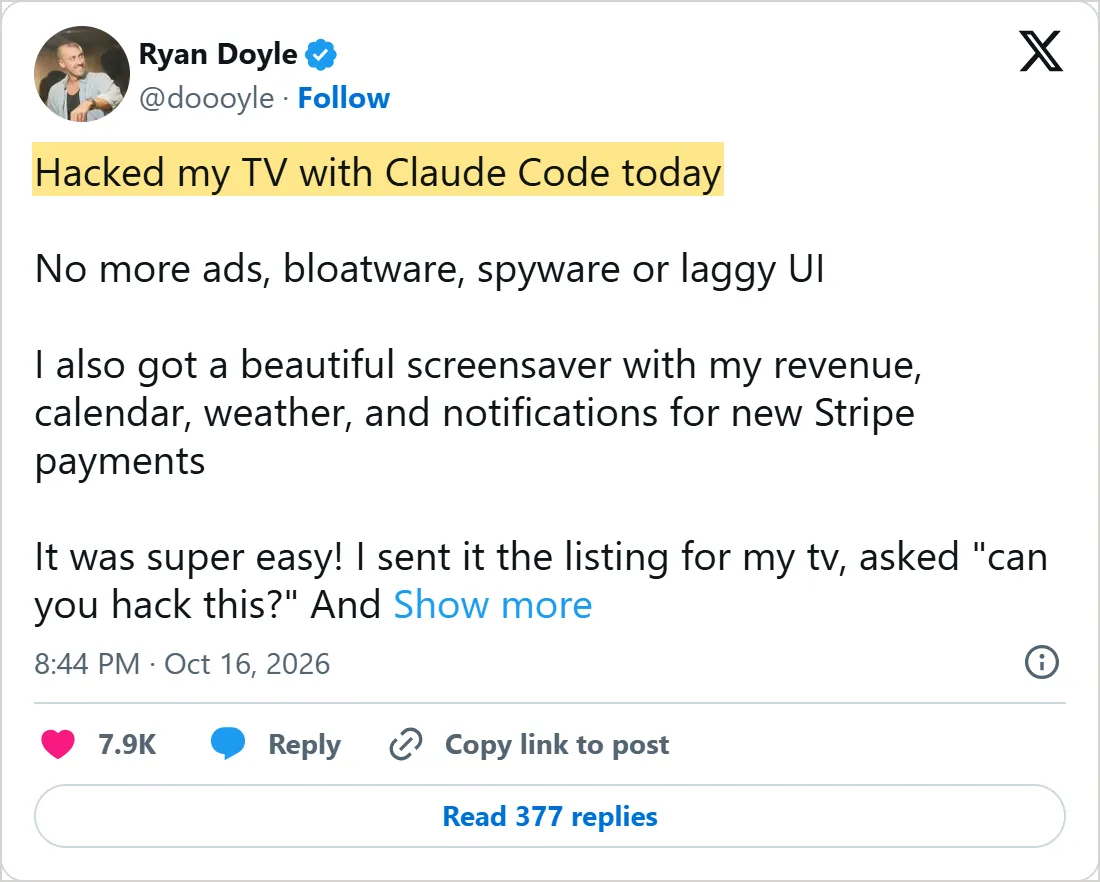
Posted 16 October 2026 at 20:44 UTC. X's embed cuts the post at "Show more", and the shot leaves out its photo. The view count stood near 4.55 million. Source: x.com/doooyle/status/2111196679680540724
The word stuck. A Chinese-language reel on Facebook, the one that sent us to the repository, says someone cracked their own TV and that the ads, junk apps and trackers were all deleted. It asks viewers to comment "TV" so the link can be sent by private message. Set against the repository, the reel is right about the stars and loose about the rest:
| The claim | What the repository shows |
|---|---|
| The TV is hacked or cracked | It uses Developer options, ADB debugging and Android's disable command, the same switch as Settings, Apps, Disable. No root, no firmware flashing, no lock or copy protection bypassed. |
| Ads, junk apps and trackers are all deleted | Packages are disabled for the TV's user, and none is uninstalled. A firmware update can bring them back, and the cleanup leaves ads inside apps alone. |
| One prompt does it | True, on one condition: the README says to clone the repository first, so the assistant runs the project's scripts with their safety checks. |
| More than 50,000 stars on GitHub | True. GitHub showed 58,149 stars and 7,579 forks on 15 November 2026. |
| Comment and the link arrives by message | The repository is public. The project names cleanyour.tv and the repository as its only official links, and says it has no app in any store. |
People who asked Claude to hack their TV were refused, TechCrunch reported on 19 October. CleanYourTV's prompt asks for a debloat and a new launcher, and the word hack appears nowhere in it.
The TVs that stopped starting
An owner of an original Xiaomi Mi TV Stick opened an issue on 22 October. After running the project, the stick hung on its Android TV boot screen and no longer answered the remote. The owner's assistant had disabled several of Android's core packages, among them the permission controller and the package installer. None of them was in the project's lists. Gathin added a block the same day, so the disable script now refuses any list that names those packages. The stick stayed dead, and the issue closed with its owner headed to Xiaomi's service desk.
Two more cases sit in the same file. A Haier Google TV, model H50H5F, restarted in a loop after a piece of the TV's own middleware was switched off. A JVC set hung on its boot animation, with ADB gone, after the launcher swap and a remote-key helper were both applied before a single reboot. The prompt now tells the assistant to leave that middleware alone. On boards like the JVC's, it must reboot once after the launcher swap and confirm the TV comes back before it enables anything else.
The way back depends on how far the TV still starts. If it reaches Settings, its own Apps page can switch packages on again without a computer. If it doesn't, the project's FAQ says a factory reset from the recovery menu is "usually the way back". The reset wipes your apps and accounts along with the cleanup. The project's legal note adds that changing a TV's software may affect its warranty or support.
Network ADB travels as plain text on port 5555, and on some firmware any device on the same network can open a shell on the TV. The README's fix is to switch every debugging option off when you finish, reboot, and run its port check until it reports the port closed. The new home screen keeps working with debugging off.
If you run it, the order that protects you
- Flip the privacy switches in the TV's Settings first. On some TVs the Usage and diagnostics page disappears with the cleanup.
- Clone the repository, open that folder in your assistant, then paste the prompt with your TV's model name filled in.
- Approve each batch yourself. The prompt has the assistant disable packages in small batches and take a screenshot between them, and we'd read every batch before saying yes.
- Keep the list that was applied. The restore command needs it.
- Switch debugging off, reboot the TV and check the port.
cleanyourtv-commands.sh
# From the project's README. We did not run these for this article.
# Replace 192.168.1.50 with your TV's address and <your tv> with its folder.
git clone https://github.com/Gathin23/cleanyourtv

# Undo everything later (Android TV):
TV_HOST=192.168.1.50 tools/restore.sh examples/<your tv>/debloat.txt

# After debugging is off and the TV has rebooted, this must say the port is closed:
python3 tools/adb-closed.py 192.168.1.50
On Google TV the restore command takes one more argument, the name of the stock launcher. The README's Restoring section gives the full line.
Start with the remote, and run it only on a TV you can reset
If the settings and a new launcher leave menus lagging and apps slow to open, the cleanup is the next step. Check that your exact model has a tested list, and pick an evening when nobody needs the TV. Should a package go wrong, the way back may be a factory reset.
Wait if nobody has sent in a list for your model, or if it is the only screen in the house. On a Fire TV, or a set older than Android 8.0, expect the cleanup without the new home screen.
More from Mindber
- New to this kind of tool? What is an AI agent? explains software that runs commands for you.
- Is AI safe to use? covers the habits that matter when an assistant can change things on your devices.
- CleanYourTV's README names other assistants that work, among them Google Antigravity and DeepSeek, which both have pages here.
- The AI code assistant category, the AI developer tools category and the AI agent category list the coding tools we track.
- Loop engineering describes the check-as-you-go pattern CleanYourTV's prompt uses, with a screenshot after every change.
- Claude Code needs a paid Claude plan. Our Claude Pro vs ChatGPT Plus comparison sets out what $20 buys, and how much does AI cost? explains plans and tokens.
- What is open-source AI? explains licences such as MIT, and the true cost of AI tools in 2026 covers the bills behind them.
- More guides sit under AI software guides, with product news in What's new. Rankings and our methodology cover how we score the tools we list.
Frequently asked questions
Is CleanYourTV free?
Yes. The code is under the MIT licence and the project sells nothing. The assistant is where money can come in: Claude's Free plan leaves out Claude Code, and Pro costs $20 a month. Typing the README's commands yourself costs nothing.
Does CleanYourTV remove YouTube ads?
No. On Android 9 and newer it can, as an optional extra, point the TV's Private DNS at an ad-blocking resolver such as AdGuard DNS. That stops ad and tracker addresses in other apps. YouTube's ads come from the same servers as its videos. The resolver also sees every address the TV looks up.
Will a firmware update undo CleanYourTV?
It can. An update installs over the cleaned system, so the listed packages come back and the stock home screen returns. Most lists leave the TV's updater on. The project's check script compares the TV with the list you applied, and its fix option switches everything off again.
Can I use CleanYourTV without Claude Code?
Yes. The README lists Codex, Gemini CLI, Antigravity CLI and DeepSeek Harness as assistants that work with the same prompt.
Can I clean a relative's TV from my own home?
The project says yes, over a private Tailscale link to their network. It warns against the shortcut of opening the TV's ADB port on their router.
Is cleanyourtv.com the official site?
No. The README names cleanyour.tv and the GitHub repository as the only official links, and says other domains using the name are not run by the project.
Sources & methodology
Editorial analysis of the CleanYourTV repository, posts on X and news reports, read on 15 November 2026. Mindber did not run CleanYourTV on a TV and spoke to no one on the project. Star counts and supported models change, so follow each link for current figures.
- [1]What it does, the three steps, supported platforms, 481 models from 131 brands, lists per brand, the 572 KB launcher, about fifteen minutes, restore, firmware updates, community apps, official links, legal noteCleanYourTV README on GitHub (commit ddc3b2c) · 2026-11-15https://github.com/Gathin23/cleanyourtv
- [2]What the assistant must never disable; asking before streaming apps, voice, Chromecast and updates; small batches with screenshots; the Mi TV Stick, Haier and JVC cases; no use of the word hackCleanYourTV PROMPT.md · 2026-11-15https://github.com/Gathin23/cleanyourtv/blob/main/PROMPT.md
- [3]Factory reset as the way back; plain-text ADB on port 5555 and closing it; Private DNS and YouTube ads; privacy switches in SettingsCleanYourTV docs/faq.md · 2026-11-15https://github.com/Gathin23/cleanyourtv/blob/main/docs/faq.md
- [4]MIT licence, copyright 2026 GathinCleanYourTV LICENSE · 2026-11-15https://github.com/Gathin23/cleanyourtv/blob/main/LICENSE
- [5]58,149 stars, 7,579 forks, repository created 17 October 2026GitHub API: Gathin23/cleanyourtv · 2026-11-15https://api.github.com/repos/Gathin23/cleanyourtv
- [6]Original Mi TV Stick stuck on its boot screen; Android core packages had been disabled; a block added the same day; the owner sent on to Xiaomi serviceCleanYourTV issue #884 · 2026-10-22https://github.com/Gathin23/cleanyourtv/issues/884
- [7]Haier H50H5F Google TV restarting in a loop after the cleanupCleanYourTV issue #1578 · 2026-10-25https://github.com/Gathin23/cleanyourtv/issues/1578
- [8]Tracking switches by maker for Samsung, LG, Roku, Vizio, Hisense VIDAA and Fire TV; ads stay and stop being targetedCleanYourTV: guide for non-Android TVs · 2026-11-15https://cleanyour.tv/not-android
- [9]Parents' TV showed a sponsored ad; Claude Code removed 25 Xiaomi packages and wrote a launcher; 8.76 million views when readGathin (@gathint) on X · 2026-10-17https://x.com/gathint/status/2111379569030939102
- [10]One afternoon with Claude Code: 25 apps disabled, a 192 MB stock launcher replaced with an 83 MB oneMihir Gupta (@0900mihir) on X · 2026-10-18https://x.com/0900mihir/status/2111746030228455883
- [11]Hacked my TV with Claude Code today; 4.55 million views when readRyan Doyle (@doooyle) on X · 2026-10-16https://x.com/doooyle/status/2111196679680540724
- [12]Claude refused plain requests to hack a TV; the projects cleanyourtv and dumbtvhttps://techcrunch.com/2026/10/19/people-are-using-ai-to-make-their-smart-tvs-dumb-again/
- [13]The case against AI debloating; turning off ACR and using a Google Play launcher insteadhttps://www.pcworld.com/article/3266473/please-dont-use-ai-hacks-to-debloat-your-tv.html
- [14]A cleanup of a Mi Box S on Android 9 with Claude Code, a few minutes for setup and a few for the cleanupAndroid Police: Rajesh Pandey's hands-on · 2026-10-24https://www.androidpolice.com/i-didnt-believe-claude-wizardry-could-actually-speed-up-google-tv-tried-it/
- [15]Claude Code is not in the Free plan; Pro is $20 a month billed monthlyClaude pricing · 2026-11-15https://claude.com/pricing
- [16]A Chinese-language reel: a cracked TV, everything deleted, more than 50,000 stars, comment TV for the linkDavid Ooi on Facebook (reel) · 2026-11-15https://www.facebook.com/reel/1447741227482267
Keep reading
Loop Engineering: Why Top Engineers Stopped Prompting Their AI
How coding agents check their own work between steps.
Claude Pro vs ChatGPT Plus (2026): Same $20, Different Strengths
What each $20 plan includes, Claude Code among them.
October 2026 Security Roundup: PHP, Node.js, NGINX, Go
What to patch first, with the fixed versions.
Learn the basics on Mindber
Background for this article, from the free Mindber learning hub.
Topic guides
AI Basics lessons
Share this article
Legal notice
This publication constitutes editorial commentary on publicly available information and does not constitute financial, legal, investment, or professional advice. Product names, trademarks, and registered trademarks referenced herein are the property of their respective owners; their appearance does not imply endorsement or affiliation. Mindber's analysis reflects editorial judgment based on public signals and is subject to change without notice. Scores are not buy, sell, or hold recommendations. No commercial relationship exists between Mindber and the vendors evaluated unless separately disclosed in writing. This publication is governed by the laws of Malaysia. Any dispute arising from or in connection with this publication shall be submitted to the exclusive jurisdiction of the courts of Malaysia.